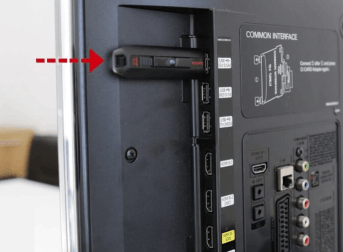
Home › Fire TV Stick Setup
The Amazon Fire TV Stick is the most common device our subscribers use, and the only one that needs a sideloading step. Sixteen screens below, start to finish, and about six minutes of your time.
Fire OS does not permit application downloads through a browser, and IBO Player is not carried in the Amazon Appstore. The workaround is a free utility called Downloader, published by AFTVnews, which fetches and installs the file for you. Nothing about this is unusual — sideloading is a supported Amazon feature, it simply sits behind a settings toggle.
Work through the three parts in order. Skipping part two is the single most common reason an installation fails at the final step.
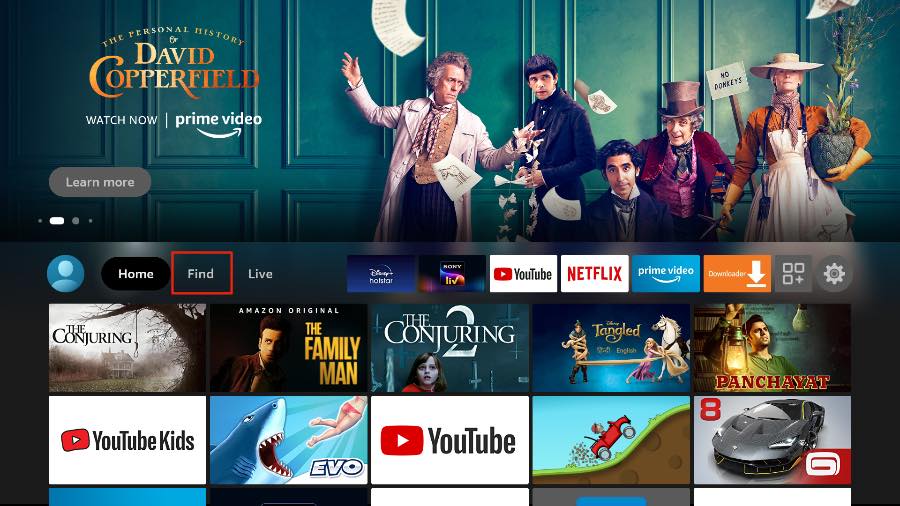
From the Fire TV home screen, move up to the top menu bar and select Find.
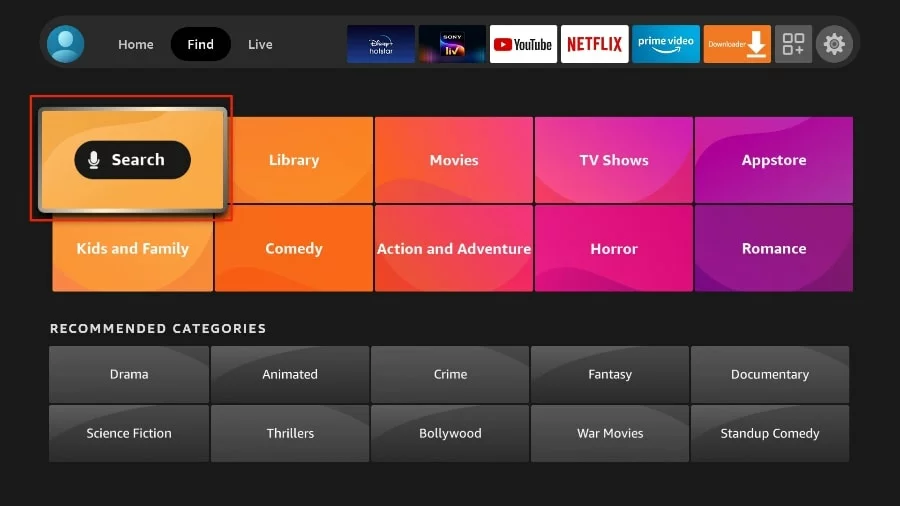
Inside the Find menu, select Search at the top left of the tile grid.
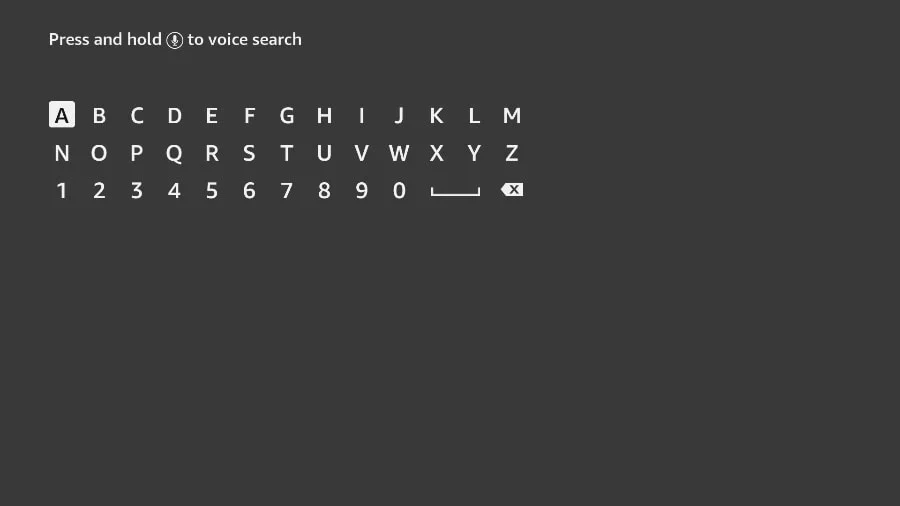
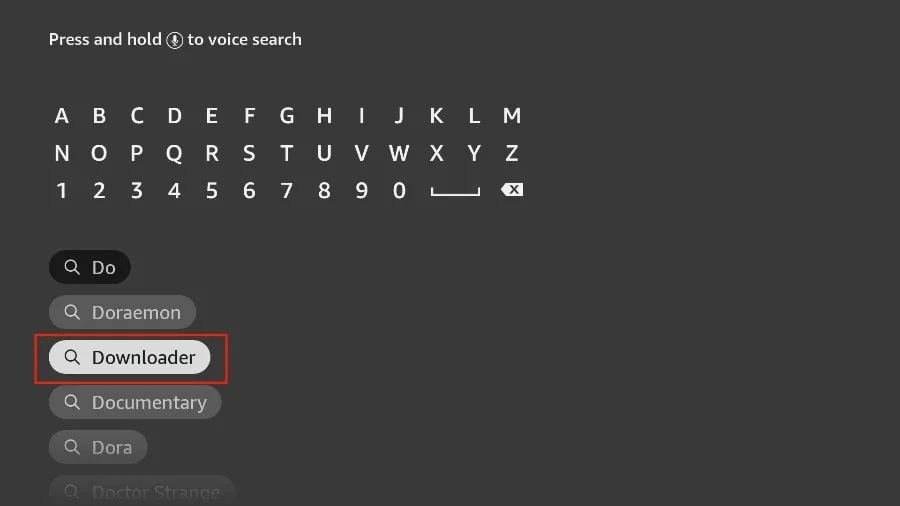
The on-screen keyboard appears. Begin typing Downloader.
Select Downloader when it appears in the suggestion list below the keyboard.
Choose the orange Downloader icon in the results, then select Get or Download. Installation takes under a minute.
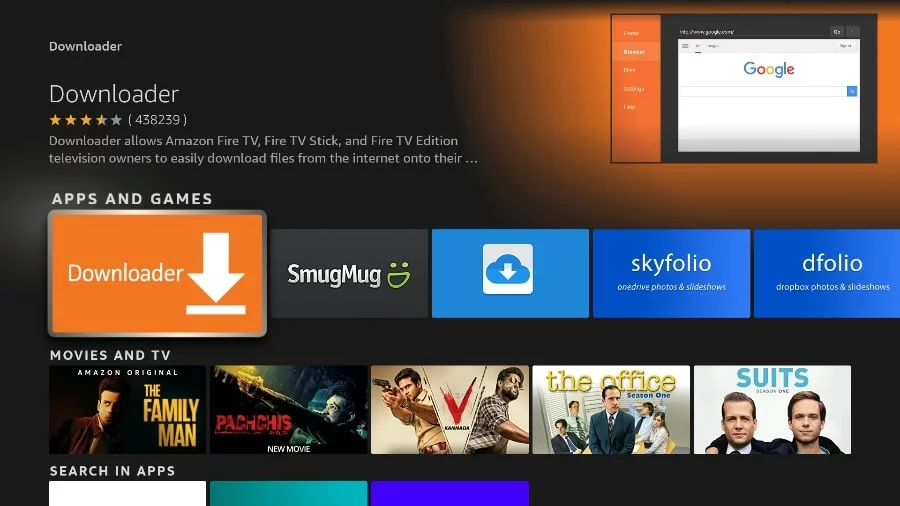
The app store listing describes Downloader as a tool for downloading files onto Fire TV devices. That is exactly the one you want.
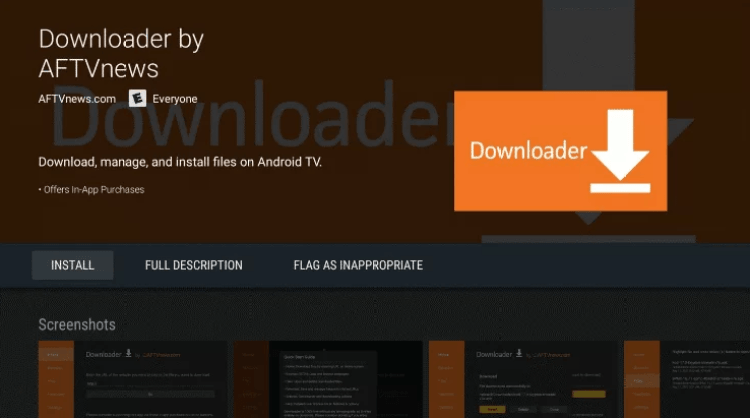
This is the step people skip. Without it, the installation stalls at the final screen.
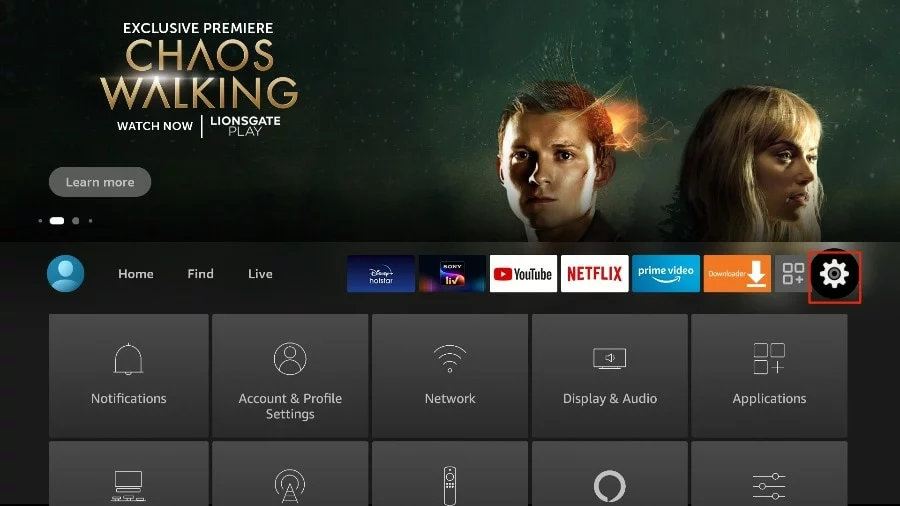
Press the home button, then move to the gear icon on the far right of the top menu.
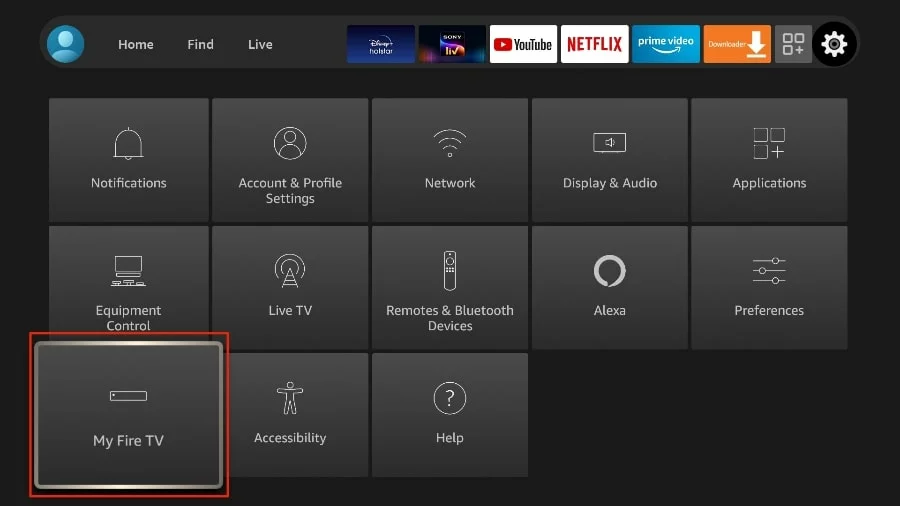
Scroll the settings tiles and select My Fire TV.
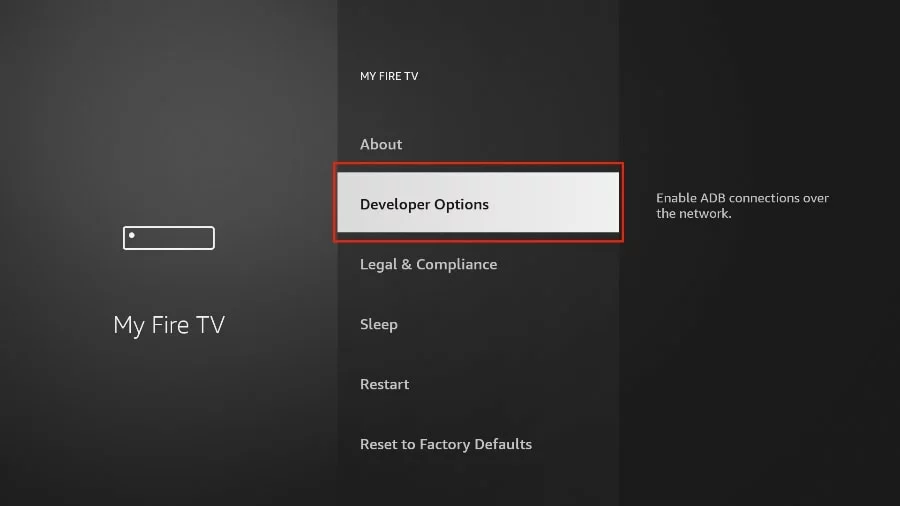
Select Developer Options. If it is not listed, open About and press select on Fire TV Stick seven times in quick succession — a notification confirms developer mode is on.
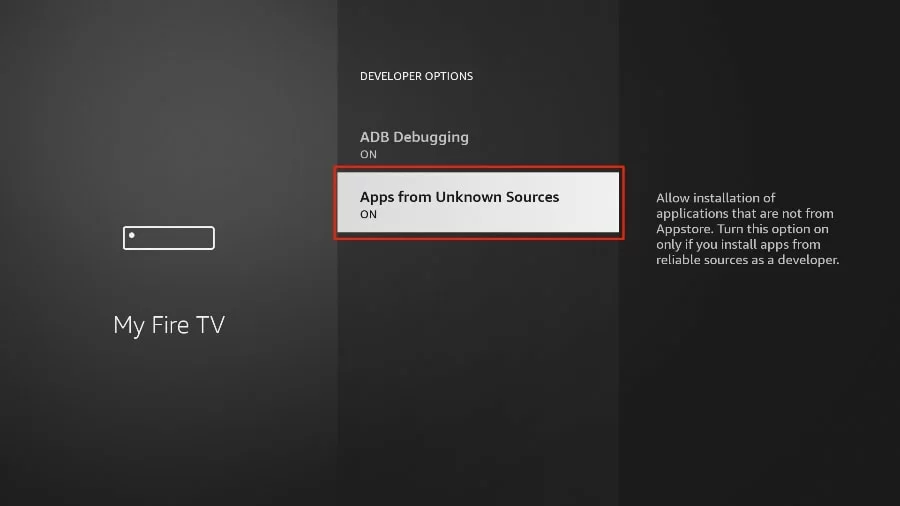
Select Apps from Unknown Sources (on some builds, Install from unknown apps › Downloader) and set it to ON.
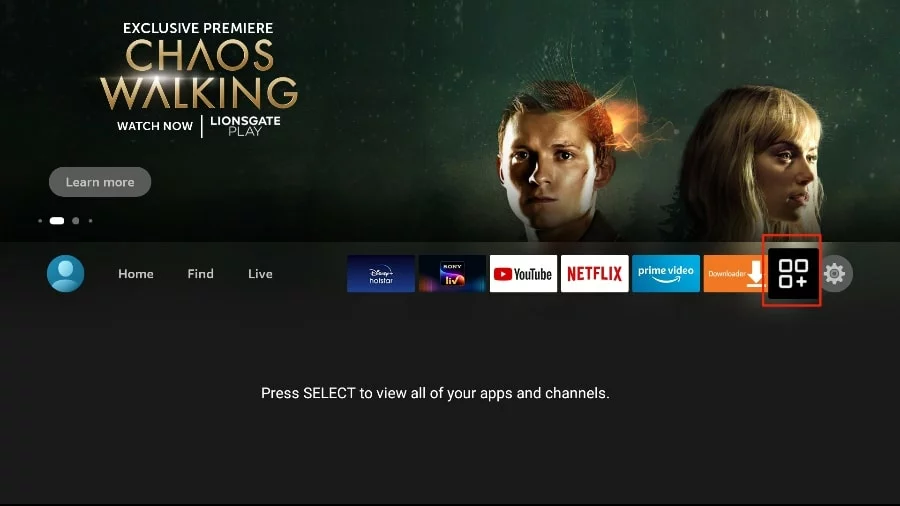
Return to the home screen and open the apps grid from the top menu bar.
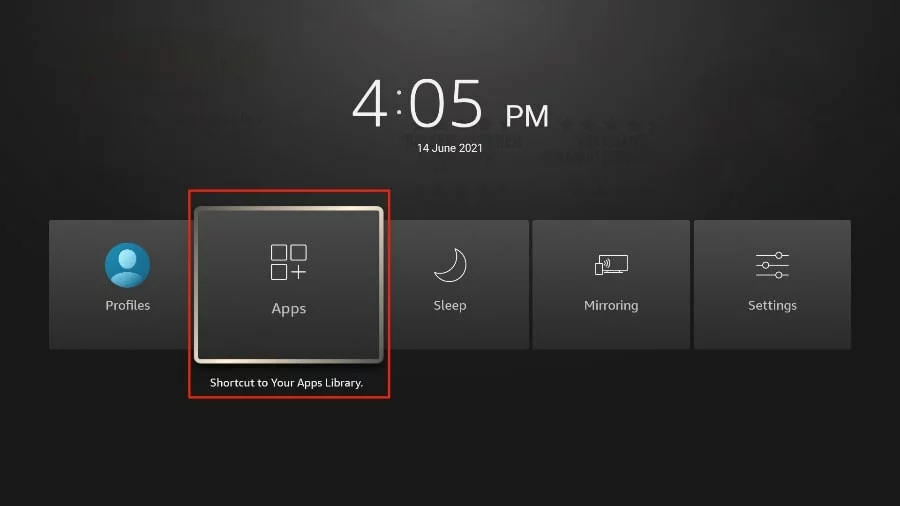
Press and hold the home button for the quick menu, or open the apps library, and launch Downloader.
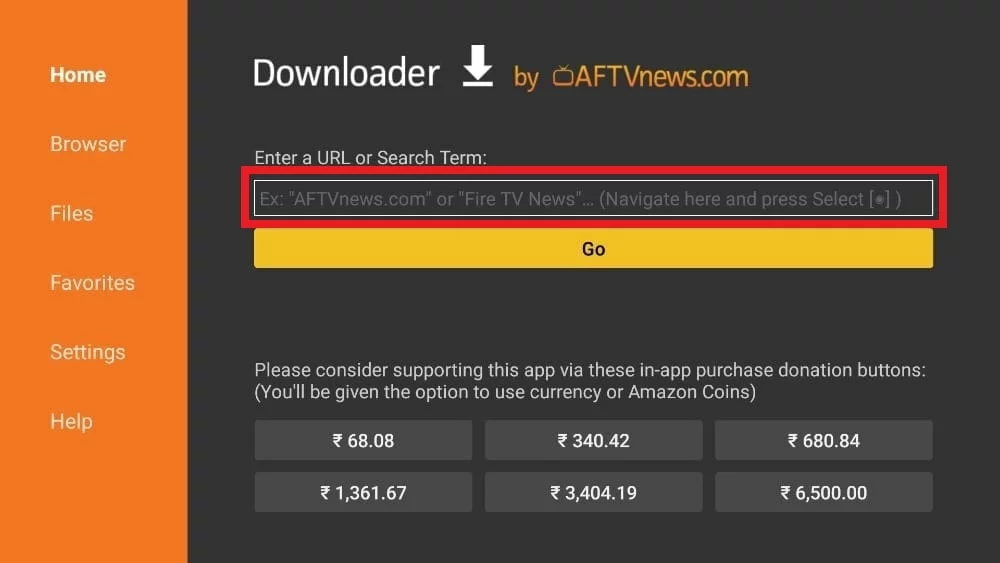
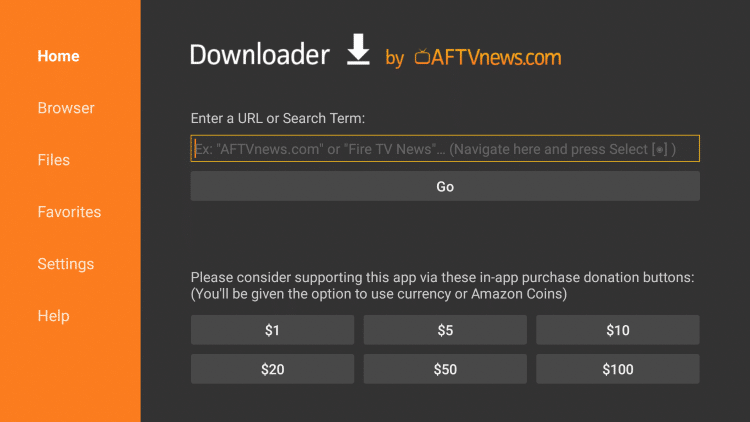
Dismiss the first-run prompts until the home screen appears, then click the Enter a URL field on the right.
Type the official IBO Player code 511693 and press Go. Leave the device alone while the file downloads.
Choose Install when the installer opens, wait for the confirmation, then select Done and delete the leftover installation file. It has served its purpose and only occupies storage.
Open IBO Player, read the MAC address and device key from the profile screen, and send them through our activation form. We pair your playlist and confirm within minutes.
Using something other than a Fire Stick? The full IBO Player setup guide covers Android, Windows, macOS, LG and Samsung televisions. Not subscribed yet? The pricing page starts at $8.99 for the intro month.
Send a photo of the screen to our desk on WhatsApp. We talk Fire Stick installations through several times a day and will get you past it in minutes.
Message support