“MAC expired”
The IBO Player application licence has lapsed, or the playlist pairing has dropped. Submit your details above and we will re-pair the line; if the app licence itself expired, renew it from the IBO portal.
Home › Device Activation
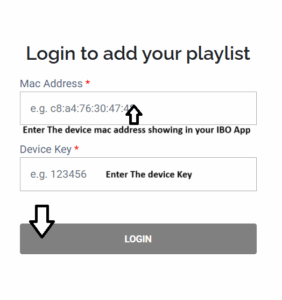
Seeing a MAC expired notice in IBO Player, or setting up a new device for the first time? Send us the two values on your player dashboard and we will pair the line from our end — normally within a few minutes.
Open IBO Player and select the profile icon on the dashboard. The Device Info panel at the top left lists your MAC address and device key. Copy them exactly — a single mistyped character is the most common reason an activation fails.
MAC resets are free and unlimited within a subscription. Replacing a stick, upgrading a television or switching from a phone to a TV box all qualify — just submit the new values above. One device streams at a time; a genuinely simultaneous second screen needs its own line from checkout.
Start with the IBO Player setup guide, or jump straight to the Fire TV Stick walkthrough if that is your device. Both finish at this page.
The IBO Player application licence has lapsed, or the playlist pairing has dropped. Submit your details above and we will re-pair the line; if the app licence itself expired, renew it from the IBO portal.
Usually a mistyped device key at pairing time. Recheck both values under Device Info and resubmit — we will overwrite the previous attempt.
Run a data refresh from the dashboard. If the EPG is still blank after a minute, message the support desk and we will re-point the guide source.